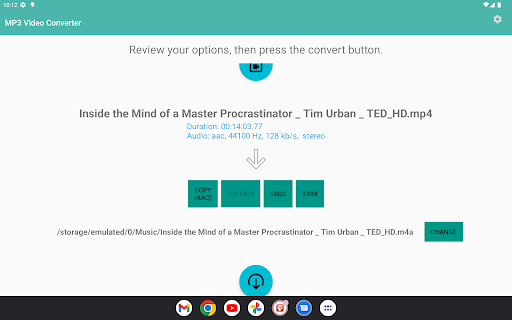
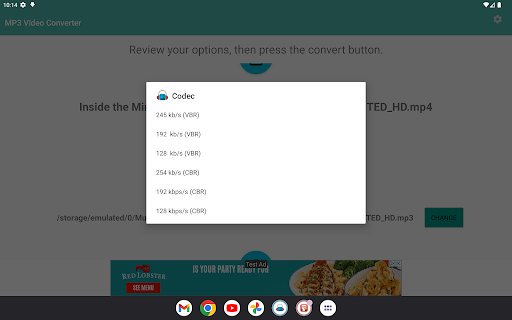
Download for Android

Icon Android

MP3 Video Converter

주식회사 스프링워크 Contains ads - Virus check
579.1 M+Downloads
<100 МБSize
5.0Android Version
2.2.3 (30-10-2025) Latest Version
4.44 (1 990 886  Reviews)
Download the latest versionDownload v 2.2.3
How to install correctly?
Close

How to correctly install the app on Android?
  1. Open the Google Play Store on your Android device or click the download button.
  2. Find the mobile app "MP3 Video Converter", check the device requirements, and click "Install".
  3. Wait for the app to download and install.
  4. During installation, grant the necessary permissions, such as access to the camera, microphone, contacts, etc.
  5. Open the MP3 Video Converter app and log in to your account.
  6. After installing the app, it is recommended to periodically check for updates.

Data Safety

Learn more

Safety starts with understanding how developers collect and share your data. Data privacy and security practices may vary based on your use, region, and age. The developer provided this information and may update it over time.

Close

App Privacy

Shared Data

Data that may be shared with other companies or organizations:

    Collected Data

    Data that this app may collect:

      Security Practices

        Ratings and Reviews

        4.41 990 886
        1
        171205
        2
        57836
        3
        63621
        4
        129556
        5
        1568646

        About the App

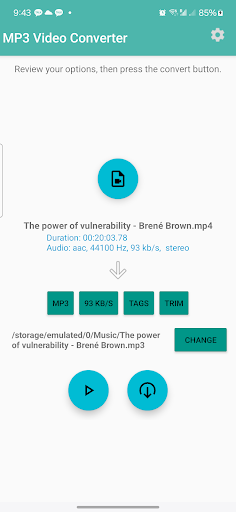
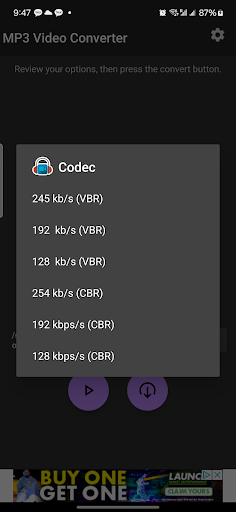
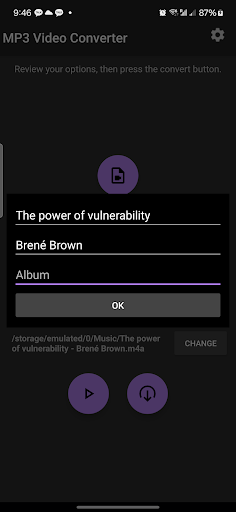
        You can convert video files to audio files (MP3, AAC) with various options ( bitrate, meta data) 1. Supports various types of videos (3GP, FLV, MP4 and so on) 2. Supports various types of audio (MP3, AAC) 3. Supports editing meta information (title, album, artist) 4. Supports application based integration. (Contact us) * It supports only ARMv7 and higher. * Is uses ffmpeg and mp3lame library.

        Changelog

        2.2.3

        30/10/2025

        - Android SDK update and related changes

        2.2.2

        27/05/2024

        - All new interface
        - Supports aac, ac3 encoding
        - Supports cloud contents
        - Supports audio files
        - Supports night mode
        - Fixed some bugs

        Information

        App Name:MP3 Video Converter
        Current Version:2.2.3
        App Release:Dec 11, 2013
        Package Name:com.springwalk.mediaconverter
        Installs:500,000,000+
        Rating:4.4
        Reviews:24609
        Score:1 990 886
        Price:Free
        Price (in-app purchases):Free
        In-app purchases (IAP):No
        Developer:주식회사 스프링워크
        Developer Email:support@springwalk.net
        Developer Website:http://www.springwalk.com
        Privacy Policy:http://www.springwalk.com/privacy.html
        Category:Music & Audio
        Pre-registration:No
        Early Access:No
        Available in Play Pass:No

        In case of issues with installation or usage of the app:

        1. Ensure the latest version of the app is installed.
        2. Restart your phone to resolve potential temporary errors.
        3. Check the app’s security settings and permissions in your device settings.
        4. If the issue persists, contact the app developers for support, providing detailed information about the problem.

        Add a Comment

        🎯
        Evaluate how well the service preserves the sound quality during video to MP3 conversion. The closer to the original quality, the better. Ensure that the search feature is supported to find the desired audio quality easily.
        Assess the time taken for video to audio conversions. Efficient services provide quick conversions without significant delays. Look for the share function to easily distribute your converted audio
        🖥
        The user interface's intuitiveness is crucial. A good service should be easily understood, even by those who are using such tools for the first time. Check if devices of various types are supported for a harmonious user experience.
        🔒
        Ensure that the service supports not only WAV but also other popular audio formats such as AAC, FLAC, OGG, WMA, APE, AIFF, and ALAC. Look for functions that allow easy switching between these formats based on your preferences.
        🔌
        Security is paramount. Confirm that the service does not provide malicious links or force users to download additional programs. A secure service ensures that your devices remain protected while you share your favorite audio content.
        🔄
        Check for any restrictions on the number of uploaded files or the duration of audio. Evaluate the free options and their functionality for a service that can be easily used and listened to, catering to your favorite conversions.
        Best YouTube to MP3 Converters

        Top 6 Android Apps for Converting YouTube to MP3

        Video DownloaderVideo to MP3 ConverterVideo MP3 ConverterAudio Converter - MP4 to MP3MP3 Video ConverterVideo to MP3 ConvertX Downloader & Video Player
        UpdatedApr 07, 2026Mar 30, 2026Jan 09, 2026Sep 22, 2025Oct 30, 2025Mar 26, 2026Mar 23, 2026
        Current Version2.5.82.9.1132.7.21.2.242.2.3v1.1.242.3.14
        Score
        4.7
        4.6
        4.3
        4.7
        4.4
        4.1
        4.6
        Learn More

        iOS’s Top 5 YouTube to MP3 Converter Apps

        Media Converter - video to mp3MP3 Converter -Audio ExtractorEasyMp3 Video to mp3 Convertervideo to mp3 converter no cap
        UpdatedSep 03, 2025Sep 13, 2025Sep 03, 2025Apr 03, 2025
        Current Version4.116.98.0.13.8
        Score
        4.7
        4.7
        4.8
        4.6
        Learn More

        10%
        Our site uses cookies.

        Privacy and Cookie Policy: This site uses cookies. By continuing to use the site, you agree to their use.